Audio Player

Util · Player
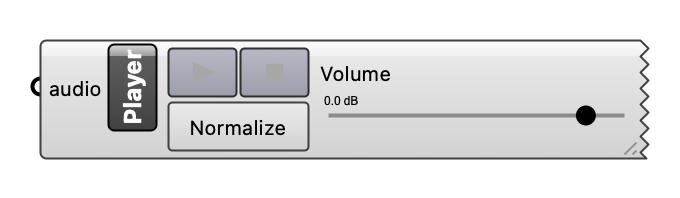
Show and play a signal from Auralise, an impulse response (e.g. the ir output of Deconstruct IR Graph), an audio file, or a Source's sound file: a lane per channel (the body grows with the channels), with a Play/Pause button, Stop, Normalize (scale the signal to full level; off by default, so auralisations play at their rendered level), a click in the waveform to seek, and a volume slider. Drag the corner to set the width and the lanes' height. A file plays whole, without pause or seek. A signal of more than two channels (ambisonic) is shown but not played.
Inputs
| Name | Type | Access | Default | Description |
|---|---|---|---|---|
audio |
ghdoc | item | Audio signal (from Auralise), impulse response (from Deconstruct IR Graph; turn Norm on to hear a quiet one at full level), audio file path, or Source object. Optional. |
Outputs
None.