Material Library

Elements · MatLib
Preset picker for AcousticMaterial. Click the strip or double-click the component to search the materials library by name and category, or choose Custom at the top; on the chart, set any band's absorption or scattering. Connect absorption or scattering (a value per octave band, 125 Hz to 8 kHz) to replace the chosen material's coefficients.
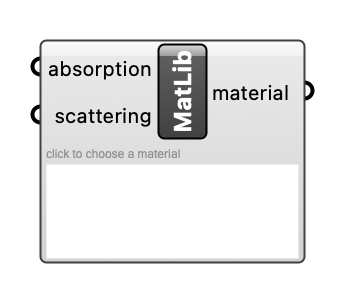
Inputs
| Name | Type | Access | Default | Description |
|---|---|---|---|---|
absorption |
float | list | Absorption coefficients, one per octave band from 125 Hz to 8 kHz, to replace the chosen material's (optional). Optional. | |
scattering |
float | list | Scattering coefficients, one per octave band, to replace the chosen material's (optional; a material without them is simulated with 0.05 in every band). Optional. |
Outputs
| Name | Description |
|---|---|
material |
AcousticMaterial object. |