Visualise Billiard

Display · Billiard
The rays of a ray field as particles at a time, like a 3D billiard: press Play to animate, or connect a time (a slider scrubs it) for a frozen frame. Play (Stop while playing) and Rewind control the playback; the Preview button shows or hides the particles.
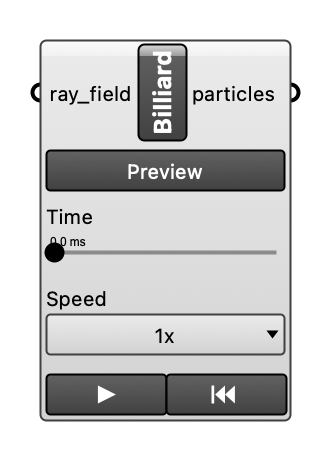
Inputs
| Name | Type | Access | Default | Description |
|---|---|---|---|---|
ray_field |
ghdoc | item | The ray field, from Visualise Rays or Visualise Reflections. | |
time |
float | item | Time in ms. Alone: the frame at that time (a slider scrubs). With Play: where playback stops (default: the end). Optional. | |
play |
bool | item | Press (or turn a Boolean Toggle on) to play from 0 to time (default: the end of the ray field) and hold the last frame; pressing again restarts. Optional. | |
speed |
float | item | Playback speed, a factor of the default, which plays the whole ray field in 10 s: 0.5 is half as fast, 2 twice. Optional. |
Outputs
| Name | Description |
|---|---|
particles |
The position of every ray that has not ended yet at the time, as points. |