Visualise Rays

Display · Rays
Trace rays from the scene's sources, for display and for Visualise Billiard: each ray as a polyline over its wall hits, with the scattered rays when scattering is on. Press Play to draw the rays growing from the sources as sound travels; the same button reads Stop while playing and holds them where they are, Rewind goes back to the start. Nothing is drawn before Play. The Preview button shows or hides the drawing.
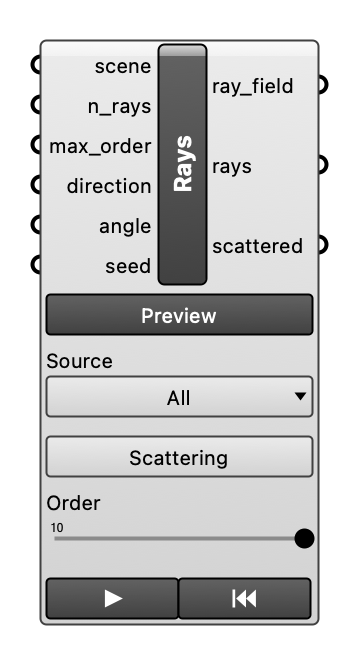
Inputs
| Name | Type | Access | Default | Description |
|---|---|---|---|---|
scene |
ghdoc | item | Room scene object. | |
source_idx |
int | item | Index of the source to trace from, in the order of the scene's sources. Empty (default): every source. Optional. | |
n_rays |
int | item | 500 |
Number of rays per source. Optional. |
max_order |
int | item | 10 |
Highest reflection order traced per ray. Optional. |
direction |
vector | item | Axis of a spotlight cone to emit the rays into, apex at each source. Empty (default): all directions. Needs angle. Optional. | |
angle |
float | item | Half angle of the spotlight cone in degrees. Empty (default): all directions. Needs direction. Optional. | |
scattering |
bool | item | Also trace scattered rays at the reflections (default False). Optional. | |
seed |
int | item | Seed of the scattered rays' random directions. Empty (default): a new seed each run, shown in the message. Only scattering uses it. Optional. | |
order |
int | item | Draw only the first reflections of each ray. Empty (default): all traced orders. The ray_field output stays whole. Optional. |
Outputs
| Name | Description |
|---|---|
ray_field |
The RayField, whole, for Visualise Billiard. |
rays |
The rays as polylines from the source over the wall hits, up to order. |
scattered |
The scattered rays as polylines; empty without scattering. |