Installation Guide
This guide explains how to install the compas_timber package for use in Grasshopper with Rhino 8 and Rhino 7.
Rhino 8 Installation
Open Rhino 8.
In Rhino’s command line, type
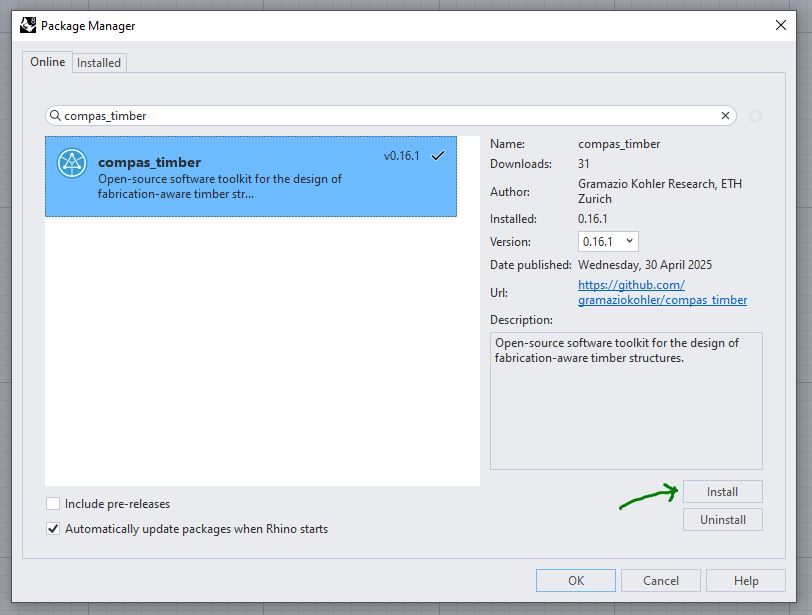
PackageManagerand press Enter. This opens the Package Manager window.:In the Package Manager window, search for
compas_timber.Click Install to install the package.
Restart Rhino 8 to complete the installation.
After a successful installation, you should see the COMPAS Timber section in the Grasshopper toolbar.
To use the COMPAS Timber components, open Grasshopper and look for the COMPAS Timber tab in the toolbar.

Troubleshooting
If you encounter issues, please consult the official documentation or seek help on the COMPAS Forum.