Half Dome¤
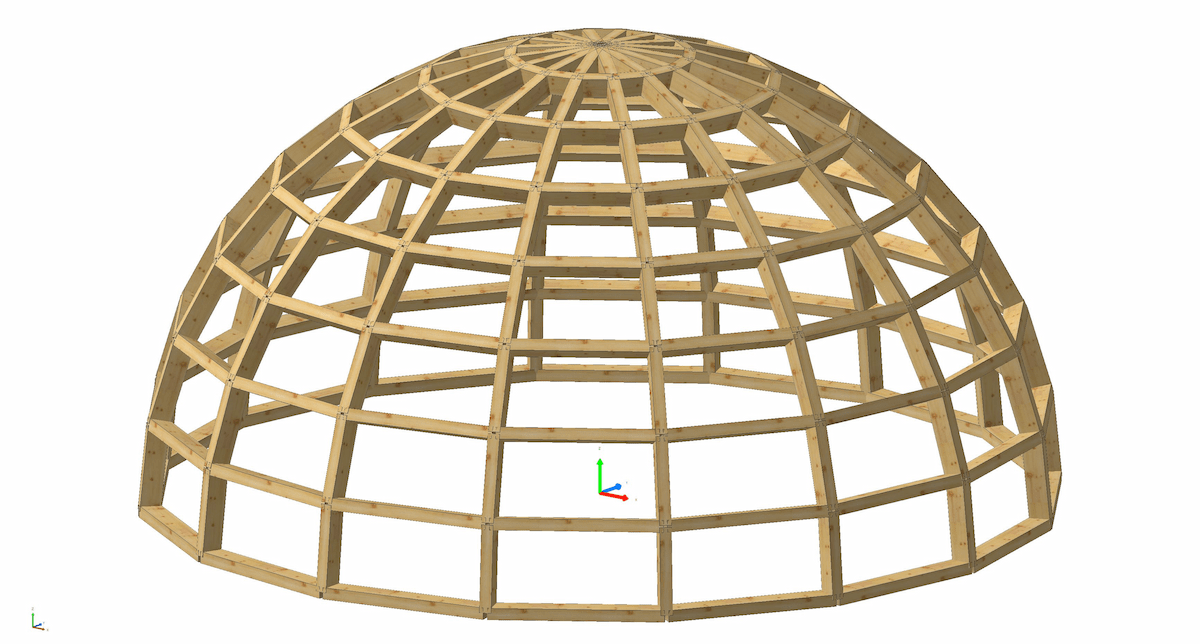
This is a simple example of how compas_cadwork can fit into a computational design workflow using COMPAS' pure Python geometry kernel.
from compas.datastructures import Mesh
from compas.geometry import Frame
from compas.geometry import Line
from compas.geometry import Plane
from compas.geometry import Point
from compas.geometry import Sphere
from compas.geometry import Vector
from compas.geometry import cross_vectors
from compas.geometry import is_point_infrontof_plane

from compas_cadwork import Transaction
from compas_cadwork.elements import Beam


SPHERE_RADIUS = 3000
SPHERE_CENTER = Point(0, 0, 0)
MESH_RESOLUTION = 16
BEAM_WIDTH = 80
BEAM_HEIGHT = 140


# Create a parametric sphere that will be discretized into a mesh
sphere = Sphere.from_point_and_radius(SPHERE_CENTER, SPHERE_RADIUS)
mesh = Mesh.from_shape(sphere, u=MESH_RESOLUTION, v=MESH_RESOLUTION)

# Create a plane that will be used to filter the top half of the sphere
plane = Plane.worldXY()
plane.point.z -= 1

# Traverse the edges of the discretized sphere, store the lines and normals
lines_and_normals: list[tuple[Line, Vector]] = []
for edge in mesh.edges():
    v1, v2 = edge
    start = Point(**mesh.vertex[v1])
    end = Point(**mesh.vertex[v2])
    line = Line(start, end)

    # We just want the top half of the sphere
    if not is_point_infrontof_plane(line.midpoint, plane):
        continue

    z_vector = mesh.vertex_normal(v1)
    lines_and_normals.append((line, Vector(*z_vector)))

# Create beams from the lines and normals and add them to the list
tx = Transaction()
with tx:
    for line, z_vector in lines_and_normals:
        xaxis = line.direction
        yaxis = Vector(*cross_vectors(z_vector, xaxis))
        frame = Frame(line.start, xaxis, yaxis)
        Beam.rectangular(frame, line.length, BEAM_WIDTH, BEAM_HEIGHT)

# Log created beams to console
print(list(tx.created_elements))
If run successfully, you should get the following output in Cadwork 3d: